Dogorithm Docs
Open app

Manual

  1. Overview
  2. Getting Started & Authentication
  3. Dashboard & Workspace Management
  4. Mastering the Board View
  5. Card Features: The Deep Dive
  6. Real-time Collaboration Guide
  7. Settings & Profile
  8. Integrations Setup Guide
  9. AI Intelligence
  10. Gamification & Progress
  11. Analytics & Insights
  12. Productivity Tools (Calendar, Pomodoro)
  13. The Standup Room
  14. The Whiteboard
  15. OKR Tracking & Templates
    1. OKR Tracking (/okr)
    2. Template Library (/templates)
  16. Keyboard Shortcuts
  17. Dogorithm on Your Phone
edit Edit this page on GitHub

OKR Tracking & Templates

OKR Tracking (/okr)

Align your daily tasks with high-level Objectives and Key Results.

  • Track progress percentages for each goal.
  • Link Boards to specific OKRs for better visibility.
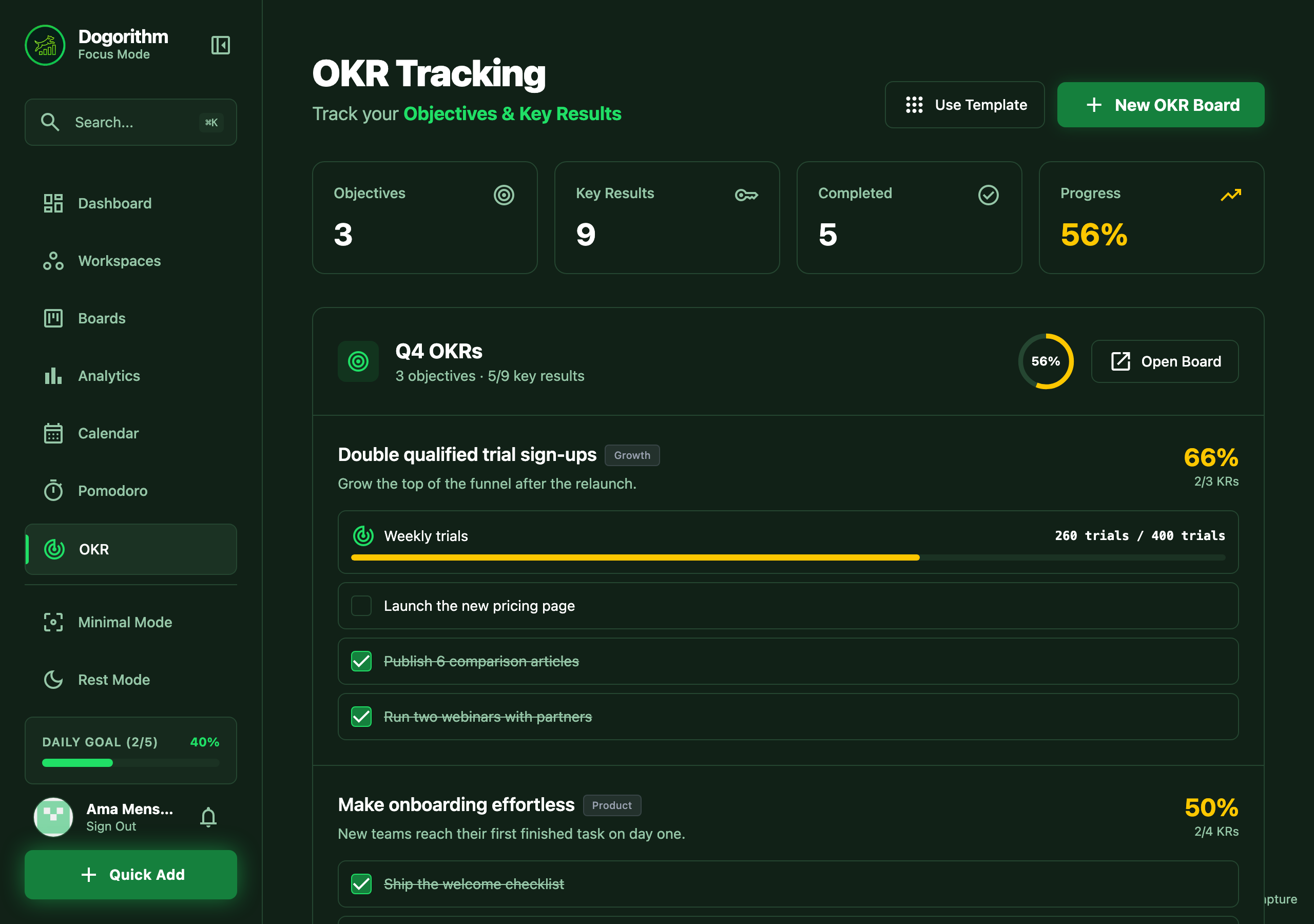
The OKR page: objectives with a metric progress bar and key results

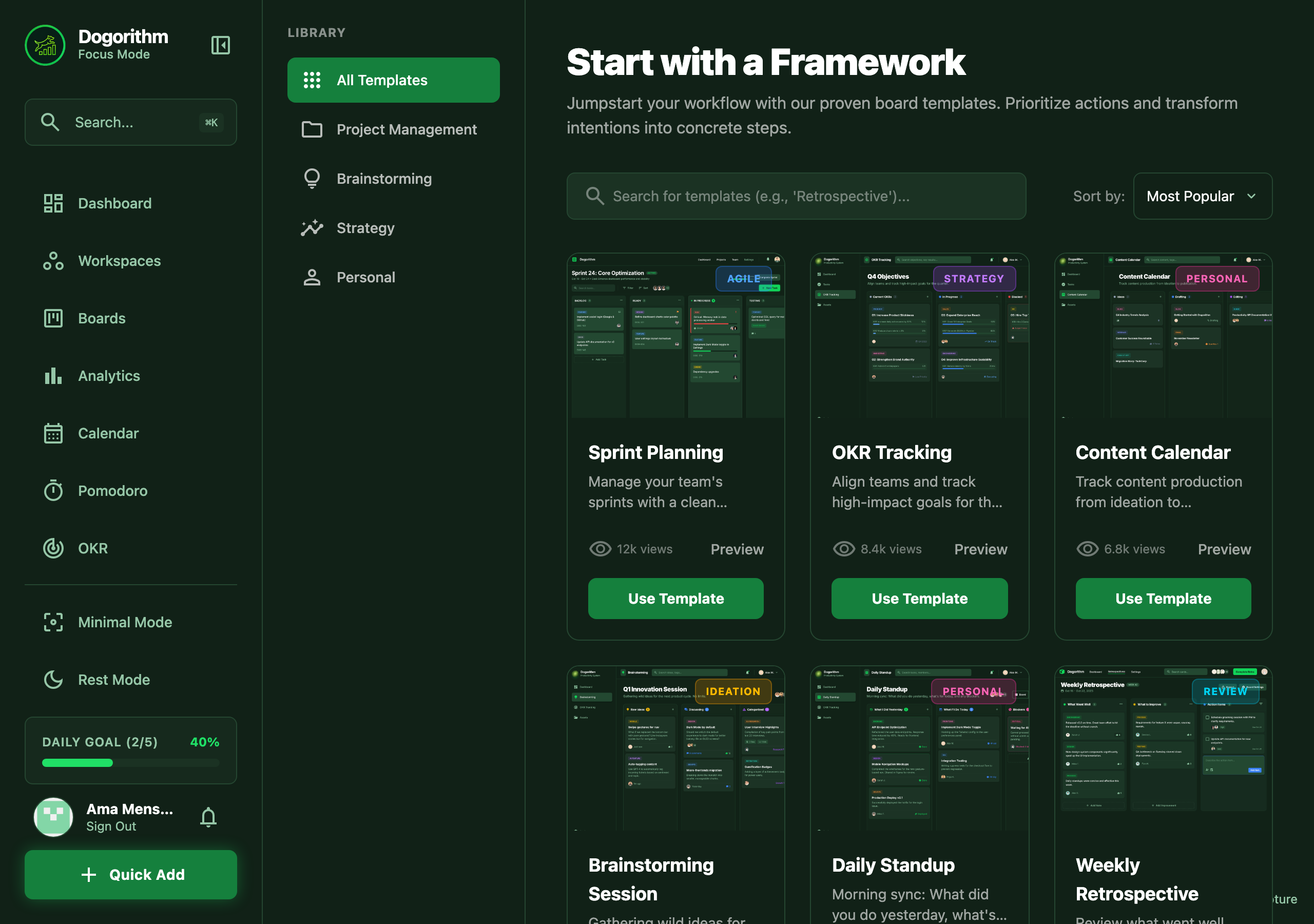
Template Library (/templates)

Don't start from scratch. Use battle-tested templates for any workflow:

  • Agile Sprints
  • Content Calendars
  • Product Roadmaps
  • Personal OKRs

The template library grid


Previous The Whiteboard Next Keyboard Shortcuts
Dogorithm

The action-first productivity system for modern creators and thinkers. Built by Quitos AI.

language alternate_email

Product

FeaturesHow it worksPricingDogorithm vs JiraDogorithm vs TrelloDogorithm vs AsanaGet the app

Resources

Help CenterWhat's newStandup room guideKeyboard shortcuts

Company

Quitos AIServicesProductsContact

Legal

PrivacyTermsSecurity

© 2026 Quitos AI LLC. All rights reserved.

Designed with favorite for Doers.