Dogorithm on Your Phone
Every page works at phone size — no separate app, same URL. A few things deliberately behave differently on a small screen:
Getting Around
- A bottom navigation bar replaces the sidebar: Dashboard, Boards, a big + for quick capture, Settings, and Alerts — a full-page notifications inbox with always-visible mark-read and delete buttons.
- The hamburger menu (top right) opens the full navigation drawer for everything else: Standup, Whiteboard, Calendar, OKR, Analytics, and more.
The Board
- Columns snap-scroll sideways — swipe between them; each column is nearly full-width so cards stay readable.
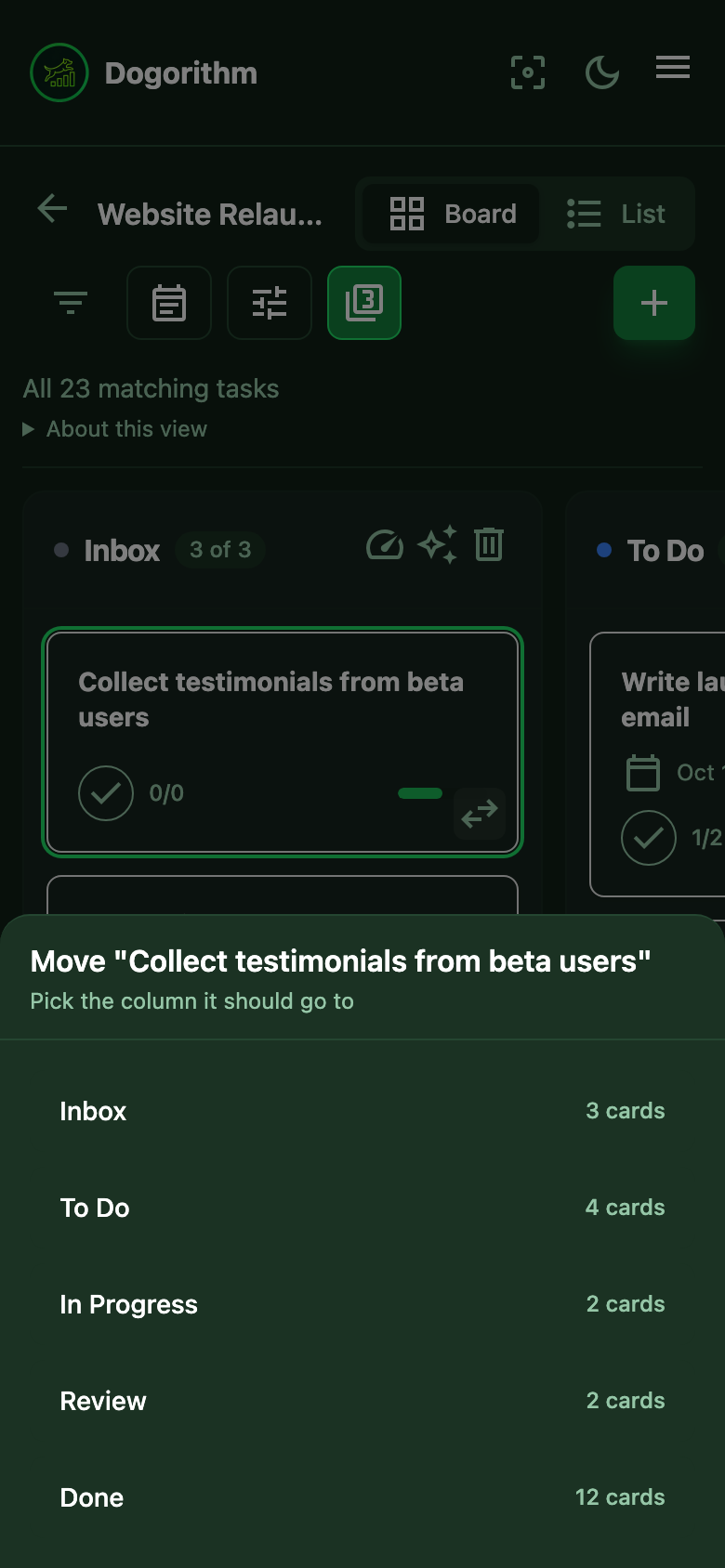
- Moving a card: tap the small ⇄ button on any card and pick the destination column from the sheet (each option shows its card count). The move is instant and undoable, like everything else on the board. Reordering within a column still works by holding and dragging.
- The toolbar fits on one row of icon buttons: Filter, Planning (calendar icon), Board tools (sliders icon: activity feed, analytics, share, bulk select, save as template, archive, swimlanes and theme), the Top 3 switch, and + New task at the right edge. Long-press or hover an icon for its name.
The Calendar
- Month cells show colored dots instead of unreadable micro-text — one
dot per task,
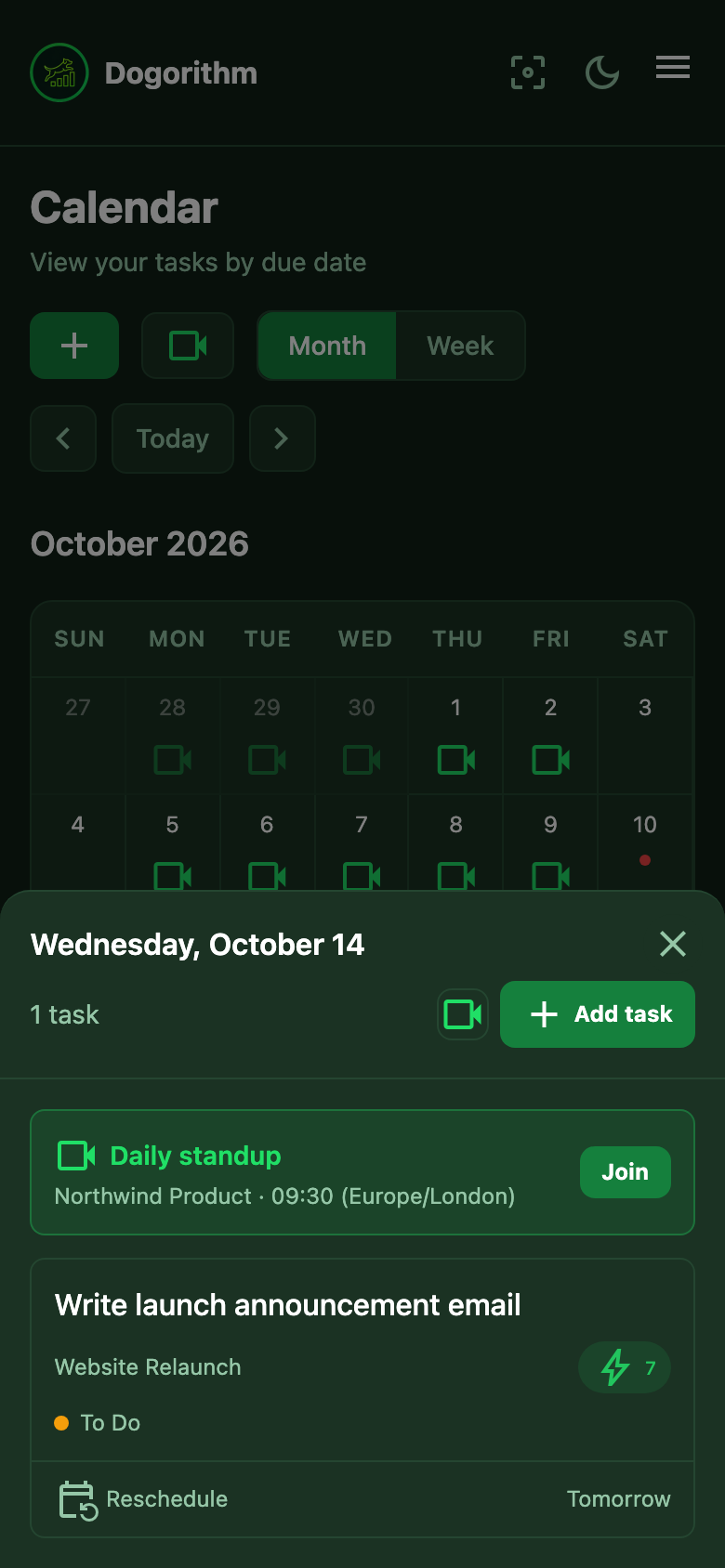
+Nwhen there's more, and a camera icon on standup days. - Tap any day and its full schedule slides up as a sheet: every task with its time, board, impact score and column, and a Join button for scheduled standups.
- Add a task on that day with the sheet's Add task button — Quick Capture opens with the date filled in (add a time if you want one).
- Reschedule without dragging: every task in the sheet has Reschedule (pick a new date) and a one-tap Tomorrow. The same controls sit in the desktop day panel, so nobody needs drag-and-drop.
- The week view shows one full day at a time — swipe left/right (or tap a date in the strip along the top) to move through the week, with each day's tasks fully visible instead of cut off. A dot under a date marks days that have something on them.
Calls
- The in-call toolbar scrolls sideways — swipe it to reach every control.
- The call keeps going while you browse: the draggable mini-dock on other pages, the "Call in progress" card in other Dogorithm tabs, and the picture-in-picture window over everything else (Chrome).
Everywhere Else
Dashboards, analytics, the whiteboard, settings, and the standup room all reflow into single-column layouts, and every toolbar wraps or scrolls rather than hiding controls off-screen.
Need Help? Contact support at support@dogorithm.com.