Mastering the Board View
URL: /boards/[id]
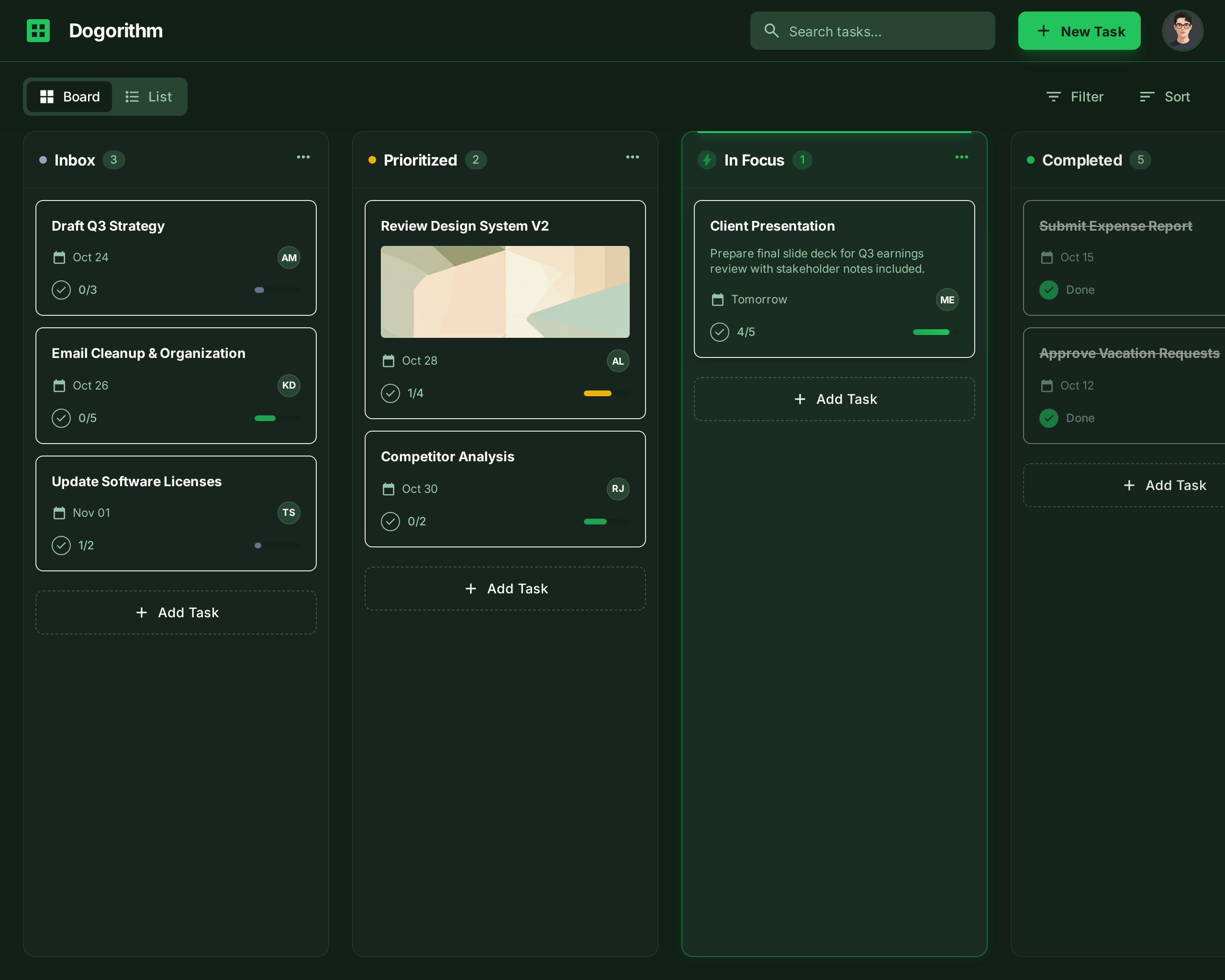
The Board View is where the actual work happens. It uses the Kanban methodology to visualize workflow.
The Toolbar
Located at the top of the board, the toolbar controls high-level board functions:
- Renaming: Simply click the board title text to edit it instantly.
- Filters: Large boards can get cluttered. Use filters to see only what matters:
- Filter by Label: Show only "Urgent" (Red) cards.
- My tasks: under Show, choose My tasks to see only tasks you lead or contribute to (tasks you only watch are left out). All tasks returns everything.
- Filter by Member: Show only tasks assigned to a particular person.
- Filter by Due Date: Show tasks due this week.
- Share: Generates a unique link to this board for easy sharing with teammates.
On a phone, the toolbar fits on one row of icon buttons (Filter, Planning, Board tools, the Top 3 switch, then + New task at the right edge) and cards move between columns with a tap instead of a drag — see Dogorithm on Your Phone.
Workflow Columns (Lists)
Your board consists of vertical lists representing stages (e.g., "To Do", "Doing", "Done").
- Add a List: Scroll to the right and click "Add another list".
- Reordering: Click and hold a list header to drag it to a new position.
- List Options: Click the
...menu on any list to Rename or Archive it.
Card Quick Actions
Cards on the board face provide "at-a-glance" information:
- Visual Indicators: Small icons tell you if a card has a Description (📄), Comments (💬), Attachments (📎), or a Due Date (⏰).
- Drag & Drop: Click and hold any card to move it between lists or reorder it within a list.
Instant Actions & Undo
Every board action — moving, editing, deleting, commenting — applies instantly on your screen and syncs in the background; if the server disagrees, the change reverts with a toast.
Cmd/Ctrl + Zundoes your last board action: a drag, a bulk move, a delete, a field edit.- Deleted a card last week? The board's Activity Feed keeps a Restore button on every deletion, bringing the card back with its full contents.